
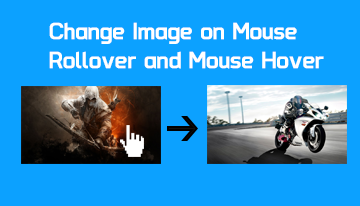
Rollover image – Change image on hover/mouse over
Often when designing websites static or dynamic, PHP or ASP.Net, Laravel or WordPress, you have to design in a way that if the user hovers an image it gets changed and an alternate image is displayed. This can be easily achieved via simple HTML event ...
How to start E-commerce business in Pakistan? Part-1
It is very impressive how Pakistan is progressing in the field of IT, telecom and broadband penetration. Pakistan’s e-commerce market is growing tremendously and presents great opportunities for everyone. Pakistan’s broadband penetration has grown to ...
Create new Box in osCommerce 2.31
osCommerce has changed the way to create your own infobox in v2.3x. Majority of the links on internet are for older versions and which does not work on v2.31. If you want to create your new info box in 2.3x which modules now then follow the below ins ...
Displaying all categories and sub-categories in category box in osCommerce
osCommerce by default displayes only top level categories in category box. To display all categories and sub-categories hierarchy in category box follow these instructions. Steps: index.php - change on around line 37: if ($category_depth == 'nest ...
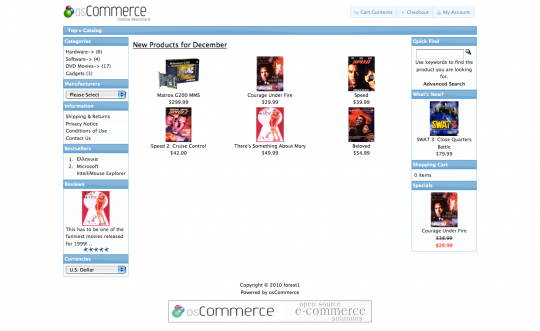
Give a new look to your osCommerce store
That’s how the osCommerce theme looks by default in version 2.3.1 What we want to do is, to change the light blue of the buttons, infobox headings and breadcrumb line (thats the line just under the header). In other words, we’re going to change th ...